2026
Veresiye
An offline Windows desktop program that takes over the sales, measurement and open-account records once kept in a paper ledger. Written for a curtain shop; today it asks what line of work you are in at first launch and sets its screens up accordingly.
The problem
Every record in the shop lived in a paper ledger: who bought what, how much they paid, how much they still owed. Tracking an open account with no fixed instalments — the customer pays whenever money comes in — is both slow and error-prone on paper.
What I built
A desktop program that replaces the ledger. Customers, sales, multi-line sale entries and payments all live in one place, and a deposit is not a separate field — it is simply the first payment. The balance is never typed in by hand: it is always computed live as total debt minus payments received. Money is held as whole kuruş, so no rounding drift creeps in. Built with Electron, React and a local SQLite file.
Knowing the user
The user is not technical — a shopkeeper who has kept books by hand all his working life. So I kept the interface as plain as the ledger it replaces: few buttons, large type, clear wording. Money always leads; debt is red, payment is green.
Moving the old ledger in
Before the program could be useful, about a thousand old records had to be entered. I built a separate entry screen for exactly that: no mouse at all, keyboard only, moving forward with "save and add another". For the odd older debt, an opening balance can be typed straight into the customer record.
From one shop to eleven trades
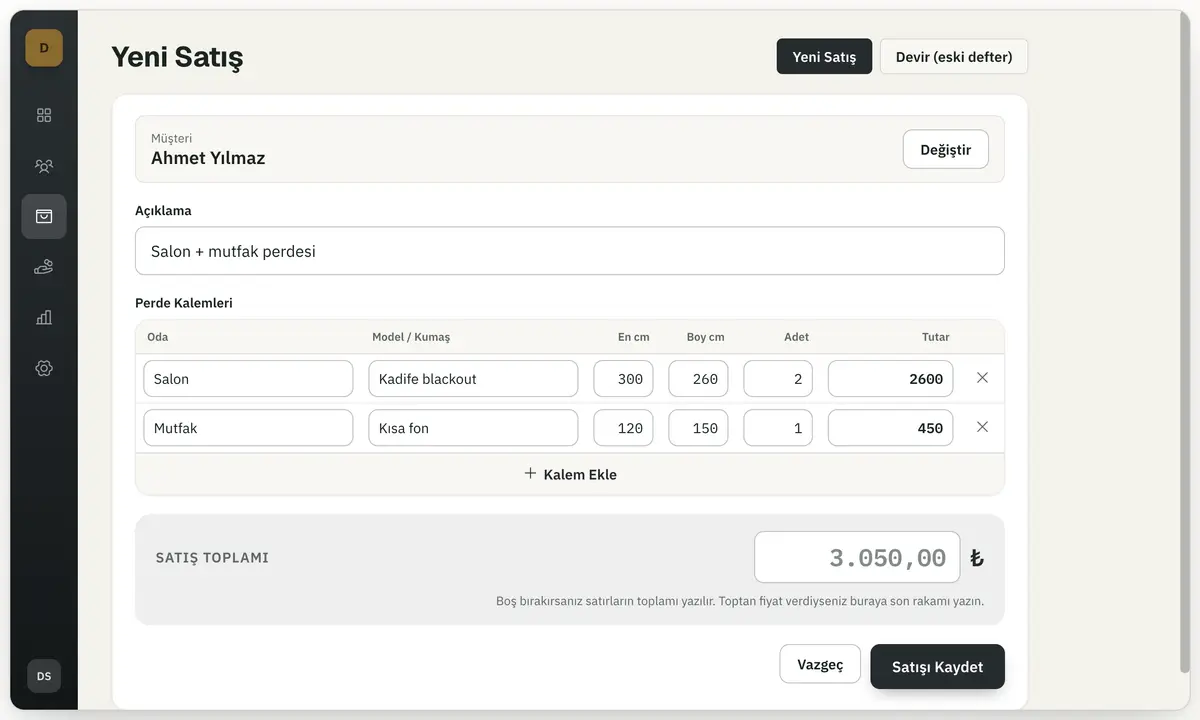
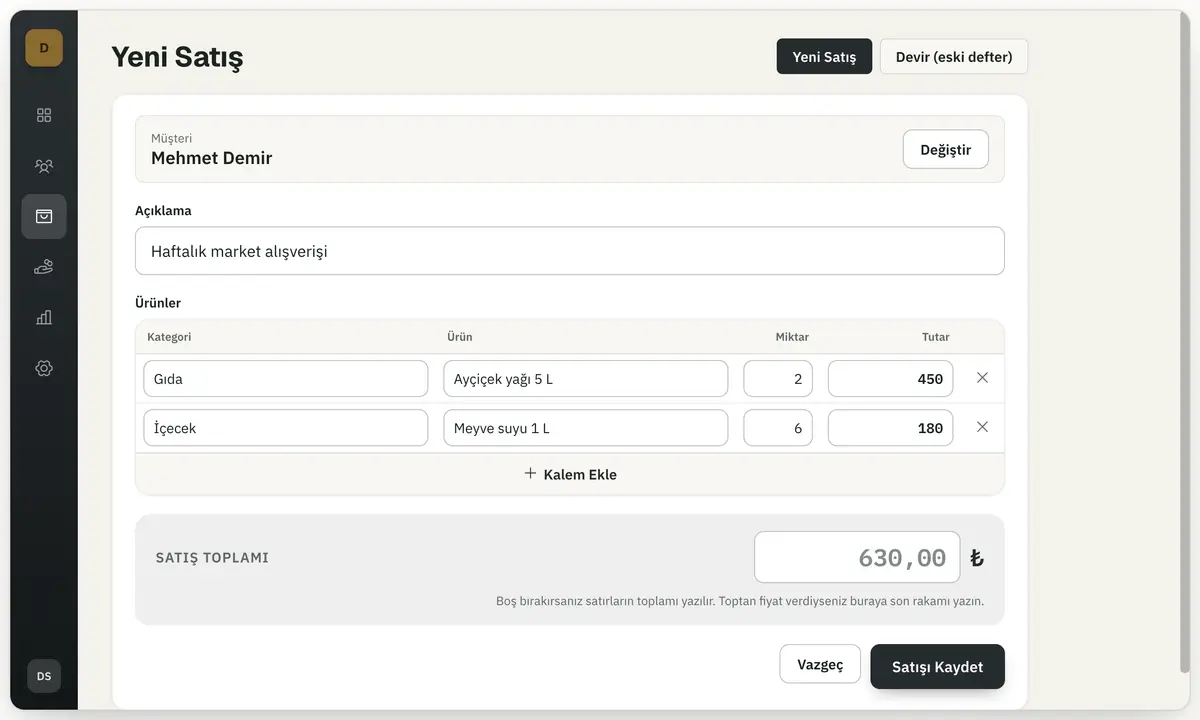
The program was written for a curtain shop; after that I stripped out the curtain-specific parts and turned it into a general open-account ledger. It now asks a single question at first launch: what line of work are you in? There are eleven answers — curtains, furniture, joinery, glass, groceries, hardware, clothing, jewellery, car servicing, appliance repair and general — and the choice changes column headings, the ready-made suggestions and whether the measurement boxes appear at all. What reads "Room · Model · Width · Height · Quantity" for a curtain shop becomes "Category · Product · Quantity" for a grocer. The choice can be changed later in settings and leaves past records untouched.
The day at a glance
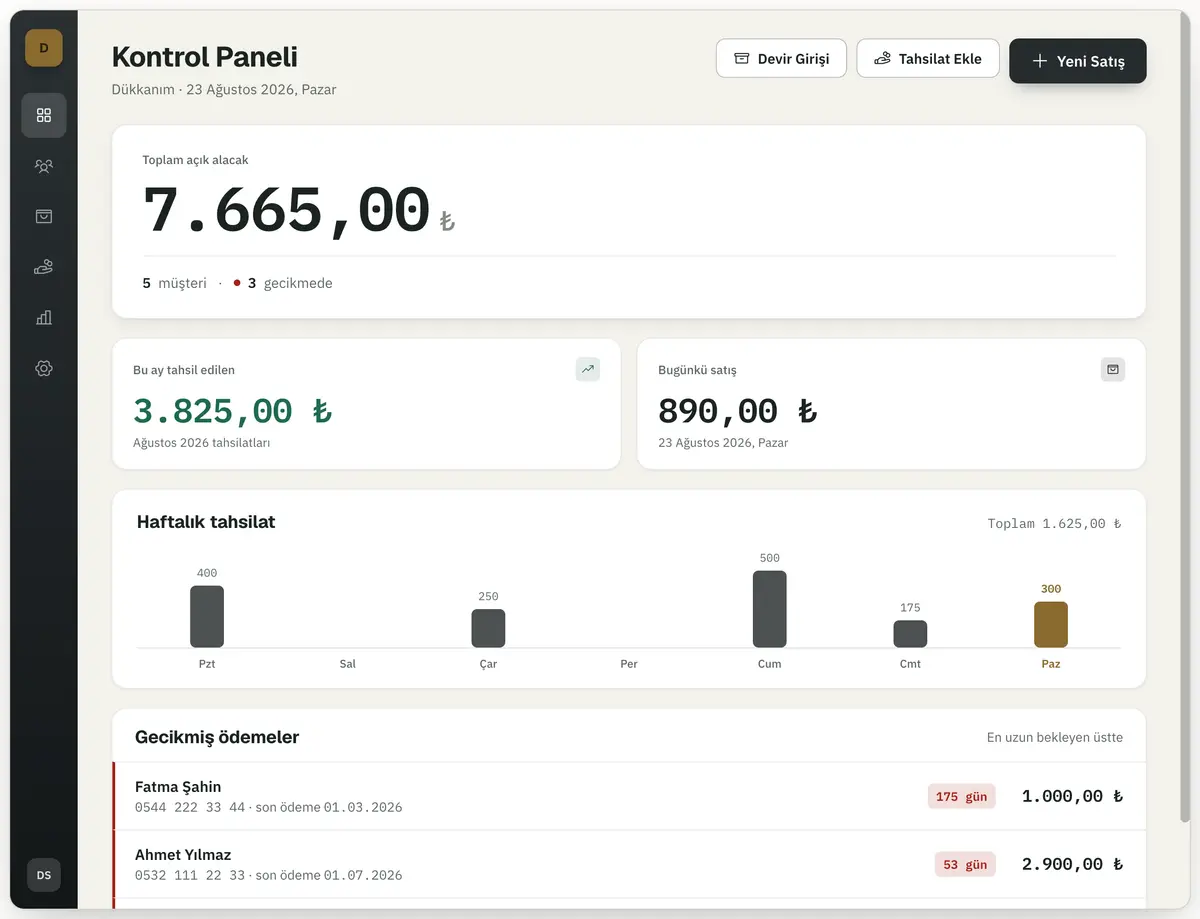
The dashboard that opens with the program sums up the day: total open receivables, how many customers there are and how many are overdue, today’s sales, what has been collected this month, a weekly collection chart, and a list of overdue payments starting with the longest waiting. Anyone with no payment for thirty days is gathered into a separate list — on screen only, no message is sent to anyone. Four reports (open balance, cash, overdue accounts, customer statement) can be run over a date range and then printed or exported to Excel.
Losing data is not an option
In a small business, losing the data means losing the business itself. Backups run automatically every evening and at every launch, the last five are kept on the machine, a USB backup is one click away, and restoring takes a backup of the current state first. The number of days since the last backup sits on screen as a warning. Permissions are split in two as well: the owner can do everything, while an employee can add records and take backups but cannot delete, edit or restore.
Status
The current version is 1.4.0. The program is in daily use in a shop with real records, and it is now open source: under the MIT licence anyone can download, use and change it. The Windows installer is built automatically on GitHub for every release and published on the releases page. It remains fully offline: it connects to no external service and keeps everything in a single local file. The data layer, the services, the reports, the schema upgrades and the backups each have their own tests, all running on the real Electron runtime.